Malware traffic
SHub Stealer over TLS: a 2 MB upload and a 60-second beacon
Updated
- File
- 2026-06-22-SHub-Stealer-infection-traffic.pcap
- Format
- pcap, ether
- Size
- 15.41 MB
- Packets
- 14874
- Duration
- 9 min 14 s
- Captured (UTC)
- 2026-06-22 19:14:35
- SHA-256
- 7c260b422541089dc8b6e6c11f96a581aef0f067b9a4e02d95c7083e55d4dc8c
- Source
- malware-traffic-analysis.net
Almost nothing in this SHub Stealer PCAP is readable, and that is exactly what makes it worth studying. The macOS stealer runs its command channel over TLS, so unlike its plain-HTTP cousins there is no request to inspect, no cleartext credential, no carved archive. What a 9-minute capture published by malware-traffic-analysis.net on 22 June 2026 still gives you is the set of server names the host asked for, the shape of each connection, and the rhythm of the beacon at the end.
The infected Mac is 10.6.22.216 on a lab network, and the publisher attributes the infection to SHub.
A-Packets does not decrypt TLS, so the evidence here is metadata: the server name from each Client Hello, the bytes
each side sent, and the timing. For this family that is enough to tell the story and to build detections.
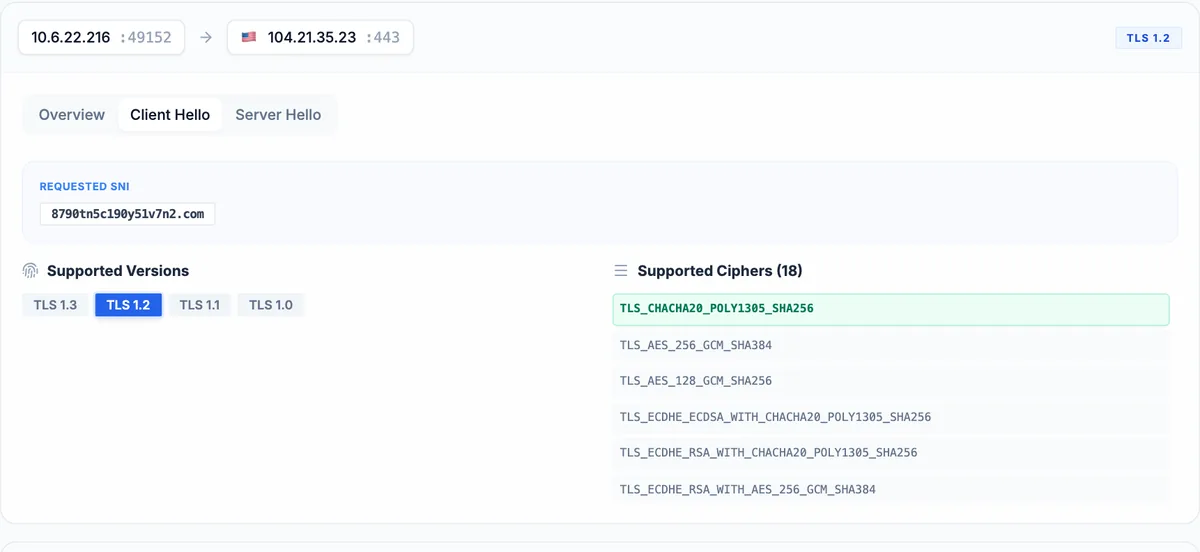
Reading the SHub Stealer infection from TLS metadata alone
Strip out the Apple and iCloud background noise and the SSL/TLS view holds a small, telling set of destinations. The
DNS view orders them: the first lookup, at time zero, is just4software.pro, the fake software page the
user landed on, which returns about 97 KB of traffic, a landing page rather than a payload. s.w.org and
stats.wp.com follow, the resources a WordPress site pulls in. Around the 36-second mark the host
resolves three subdomains of host06q.cfd (newcdn5, generatee4026c,
sharee4026c), then names on .click, and at 45.8 seconds it connects to
i2seperefiles.com, which delivers 11.4 MB over TLS: by far the largest download in the capture, and
the installer the rest of the infection runs from. The stealer itself first speaks at 138 seconds, together with
api.ipify.org, a public service it uses to learn the victim's external IP address.
| Server name | Server | Version and cipher | Certificate |
|---|---|---|---|
| 8790tn5c190y51v7n2.com x14 | 104.21.35.23:443 | TLS 1.2TLS_CHACHA20_POLY1305_SHA256ALPN h2, http/1.1 | |
| 8790tn5c190y51v7n2.com x2 | 172.67.211.159:443 | TLS 1.2TLS_CHACHA20_POLY1305_SHA256ALPN h2, http/1.1 | |
| api.apple-cloudkit.com | 17.248.195.70:443 | TLS 1.2TLS_AES_256_GCM_SHA384ALPN h2, http/1.1 | |
| api.ipify.org | 104.26.12.205:443 | TLS 1.2TLS_CHACHA20_POLY1305_SHA256ALPN h2, http/1.1 | |
| api.ipify.org | 104.26.13.205:443 | TLS 1.2TLS_CHACHA20_POLY1305_SHA256ALPN h2, http/1.1 | |
| api.ipify.org x6 | 172.67.74.152:443 | TLS 1.2TLS_CHACHA20_POLY1305_SHA256ALPN h2, http/1.1 | |
| generatee4026c.host06q.cfd | 104.21.79.198:443 | TLS 1.2TLS_AES_256_GCM_SHA384ALPN h2, http/1.1 | |
| generatee4026c.host06q.cfd x2 | 172.67.147.208:443 | TLS 1.2TLS_AES_256_GCM_SHA384ALPN h2, http/1.1 | |
| github.githubassets.com x2 | 185.199.110.215:443 | TLS 1.2TLS_AES_128_GCM_SHA256ALPN h2, http/1.1 | |
| gsra.apple.com x2 | 17.111.103.39:443 | TLS 1.2TLS_AES_256_GCM_SHA384ALPN h2, http/1.1 | |
| gsra.apple.com x7 | 17.111.103.114:443 | TLS 1.2TLS_AES_256_GCM_SHA384ALPN h2, http/1.1 | |
| gsra.apple.com x3 | 17.171.47.40:443 | TLS 1.2TLS_AES_256_GCM_SHA384ALPN h2, http/1.1 | |
| i2seperefiles.com | 104.21.5.95:443 | TLS 1.2TLS_AES_256_GCM_SHA384ALPN h2, http/1.1 | |
| itunes.apple.com x2 | 23.60.174.31:443 | TLS 1.2TLS_AES_256_GCM_SHA384ALPN h2, http/1.1 | |
| just4software.pro | 82.25.113.147:443 | TLS 1.2TLS_AES_256_GCM_SHA384ALPN h2, http/1.1 | |
| lan31.swiftlinktap.click | 104.21.4.123:443 | TLS 1.2TLS_AES_256_GCM_SHA384ALPN h2, http/1.1 | |
| ocsp2.apple.com | 17.253.127.140:443 | TLS 1.2TLS_AES_256_GCM_SHA384ALPN h2, http/1.1 | |
| s.w.org | 192.0.77.48:443 | TLS 1.2TLS_AES_256_GCM_SHA384ALPN h2, http/1.1 | |
| sharee4026c.host06q.cfd | 104.21.79.198:443 | TLS 1.2TLS_AES_256_GCM_SHA384ALPN h2, http/1.1 | |
| static.cloudflareinsights.com x2 | 104.16.79.73:443 | TLS 1.2TLS_AES_256_GCM_SHA384ALPN h2, http/1.1 | |
| stats.wp.com | 192.0.76.3:443 | TLS 1.2TLS_AES_256_GCM_SHA384ALPN h2, http/1.1 | |
| token.safebrowsing.apple | 17.253.127.148:443 | TLS 1.2TLS_AES_256_GCM_SHA384ALPN h2, http/1.1 |
One destination stands apart from all of these: 8790tn5c190y51v7n2.com, a random-looking name that
nobody would type. The host opens sixteen separate TLS sessions to it over the capture, more than to any other name,
and the certificate chain is not even visible because the sessions negotiate it inside TLS 1.3. A generated name,
contacted again and again, with nothing a browser would show for it, in an infection attributed to SHub: this is
the command server, and you can reach that conclusion without decrypting a byte.
The exfiltration you can see the size of but not the contents
The byte counts turn suspicion into evidence. To almost every server the host sends a little and receives more, the normal shape of browsing: a request out, a page back. The command server inverts that. Across its sixteen sessions the host uploaded 2.05 MB and received only 128 KB, sixteen times more out than in, to the command-server name and minutes after the stealer's first check-in. That is the exfiltration. The Connections view shows the same inversion as the one outbound-heavy flow in the capture. Almost all of it moves in a single connection: between 236.5 and 247.2 seconds the host pushes 2.04 MB into one TLS session, about 195 KB per second, and every other session to the server carries only a few kilobytes.
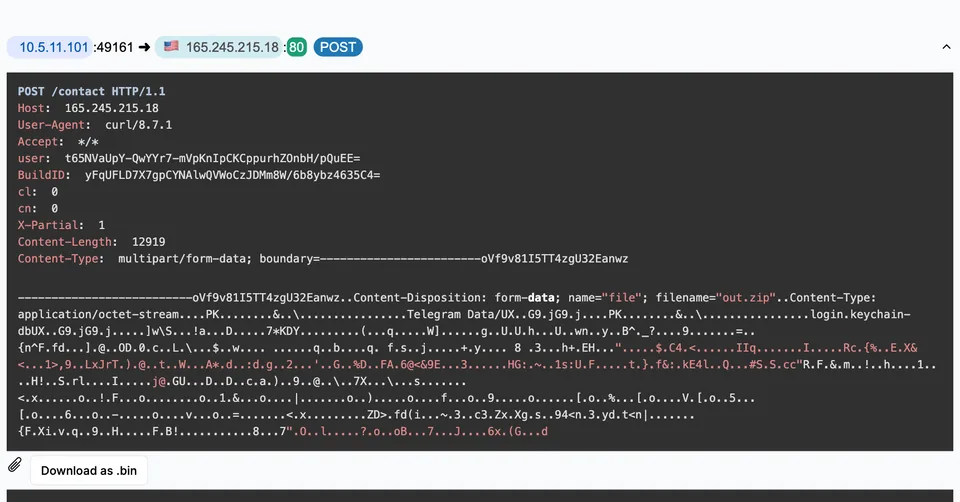
That 2.05 MB plays the role of the out.zip archives the plain-HTTP
AMOS stealer uploads in the clear, except that here neither a file name nor a
format is visible, and the figure includes TCP and TLS overhead. A-Packets cannot carve it, and neither can
Wireshark without the session keys, which a passive capture does not have. This is the limit of network analysis
against an encrypted stealer: you can prove that data of a known size left the host, to a known destination, at a
known time, which is enough to declare a breach and scope it by what the host held, but reading what left takes
endpoint telemetry or the keys.
Ninety-two seconds between the download and the first beacon
The download from i2seperefiles.com starts at 45.8 seconds; the first connection to the command server
opens at 138.1. Nothing malicious crosses the network in between. On a Mac that stretch is usually the user opening
the downloaded installer, launching the application and confirming the prompt macOS shows the first time an
application from the internet is opened. The capture cannot show those clicks, but it fixes the two times that
bracket them, and the infection needed the user twice: once to download from a page that looked legitimate, and
again to let the application run.
For an investigation the gap is an anchor rather than dead time. macOS marks downloaded files with a quarantine attribute and, for downloads made through the common browsers, records the source address and time in the quarantine events database, so the 45.8-second timestamp from the capture leads to the file on disk and the URL it came from. The 138-second timestamp brackets when the application first ran, which narrows the process and launch-service logs to examine to a minute and a half.
The beacon the host settles into
The sixteen sessions to the command server are not evenly spread. The first eleven come in two bursts: four between 138 and 140 seconds, when the stealer checks in, and seven between 228 and 250 seconds, which include the upload. Then the pattern changes. The last five sessions open at 310.8, 371.5, 432.2, 493.0 and 553.9 seconds, 60.7 seconds apart almost to the tenth, each a short exchange rather than a transfer. The stealer has dropped into a maintenance beacon, checking in once a minute; with TLS in the way, whether the server ever answered with more work stays hidden.
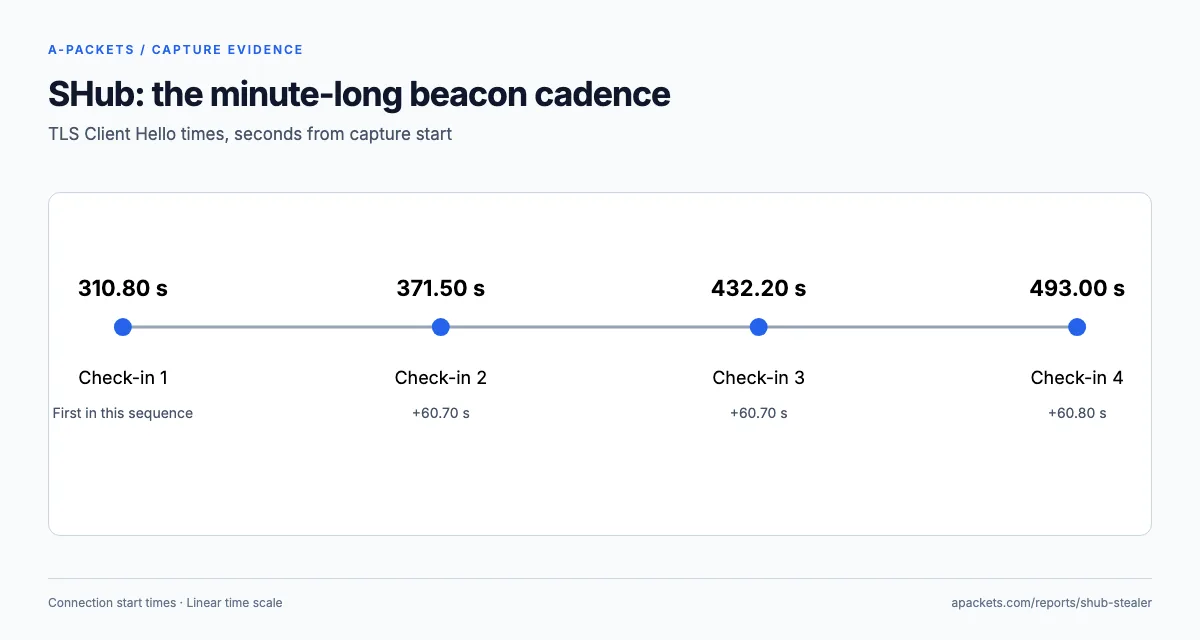
Measured from the Client Hello messages in frames 14430, 14629, 14735, 14792 and 14851, the four intervals are 60.733554, 60.740909, 60.752314 and 60.869783 seconds. That regularity is the detection signal, the same logic that catches the Cobalt Strike beacon on its 20-second timer: with TLS the content is hidden but the cadence is not, so a beacon to one unusual name survives full-packet encryption. Hunting tools that score connection regularity over Zeek or NetFlow logs would flag this host from the last five sessions, and a longer baseline separates it from updaters and monitoring agents.
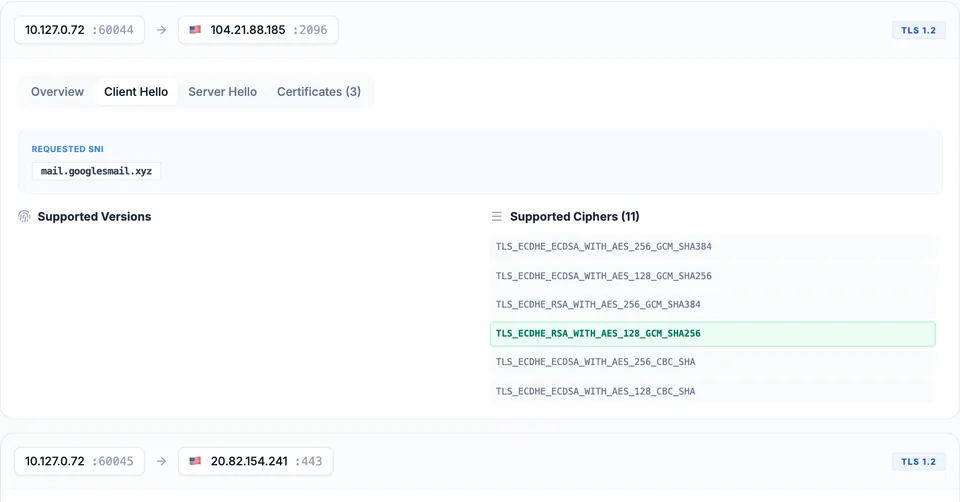
All sixteen Client Hellos to this name advertise h2,http/1.1, the ALPN offer of an ordinary HTTPS
client. The first burst already uses both 104.21.35.23 and 172.67.211.159, so group the
sessions by server name rather than by address: one name spread over two shared Cloudflare addresses is one channel,
while everything else on those addresses belongs to other tenants.
Look-alike domains and disposable top-level domains
The supporting infrastructure follows a pattern worth recognising. Beyond the command server and
just4software.pro, the host touched fastlinkpulse.click,
swiftlinktap.click, i2seperefiles.com and the host06q.cfd subdomains. The
.click and .cfd top-level domains are cheap and popular for throwaway campaign hosts; on
their own they prove nothing, but next to a random command-server name and an 11.4 MB download they mark the lure
chain. All of them resolve to Cloudflare addresses, so the hosting is hidden behind a proxy and the useful
indicator is the name, not the IP.
These names are what a defender extracts from the capture to block and to hunt. Because the content is encrypted and the IPs are shared Cloudflare anycast, a blocklist of addresses would be both leaky and collateral; a DNS-level block of the exact names, plus an alert on first-time lookups of long random-looking domains, is the approach that fits the evidence.
Pivoting from the network to the endpoint
Because the network view of an encrypted stealer stops at metadata, confirming the family and recovering what was
taken means pivoting to the host. The capture gives the pivot points: the exact times of the uploads, the command
server name, and the set of lure and staging domains. On the Mac itself, those timestamps bracket the window to
examine, the command-server name should appear in the process that made the connections, and the 11.4 MB download
from i2seperefiles.com points at the file that started it. Endpoint tools that log process-to-connection
mappings turn the anonymous "host sent 2.05 MB to this domain" into "this process, launched from this file, sent
it", which is the attribution the capture alone cannot provide.
This division of labour is the practical takeaway. The capture proves, from a passive vantage point the malware cannot detect, that data of a known size went to a known destination at a known time. That is often enough to declare the incident and justify the response. Reading the stolen data, and naming the exact process, needs the endpoint, and the capture tells you precisely where on the endpoint to look. Against an encrypted stealer the two sources are complementary, and the network half is recorded where the infected host cannot reach it.
Response when the payload is sealed
The uncomfortable part of an encrypted stealer is that you must respond to a loss you cannot enumerate. SHub, like other macOS stealers, goes after the Keychain, browser data and wallet files, so treat all of it as exposed. Isolate the Mac, revoke the sessions and rotate the passwords of every account the user held on it from a clean device, and rebuild the machine rather than clean it: the beacon shows it stayed reachable to the end of the capture.
The ATT&CK mapping is almost the same as for a cleartext stealer, which underlines that encryption changes what
you can observe, not what the malware does. The difference from the
plain-HTTP macOS stealer is purely one of visibility. On the network
side the upload is T1041, Exfiltration Over C2 Channel, and the check-ins are T1071.001 over ordinary TLS; the
api.ipify.org request is the stealer learning the victim's public address. Collection techniques such
as T1555 and T1539 go into the report once the endpoint confirms them.
For more on what captures still reveal once the payloads are encrypted, see how to analyze encrypted traffic in PCAP files. To read the TLS metadata of a capture from your own network, upload a PCAP; incident captures are better kept private with a paid plan.