Credentials
FTP and Telnet passwords on the wire: two logins, no encryption
Updated
- File
- ftp-telnet-credentials.pcap
- Format
- pcap, ether
- Size
- 18.33 KB
- Packets
- 151
- Duration
- 22 s
- Captured (UTC)
- 2006-12-16 17:24:40
- SHA-256
- 1a47b866383980562732257e520fdfcec56a2e02815f570de0f0727bc2dd7ed5
- Built
- merged from 2 single-protocol •••••••s
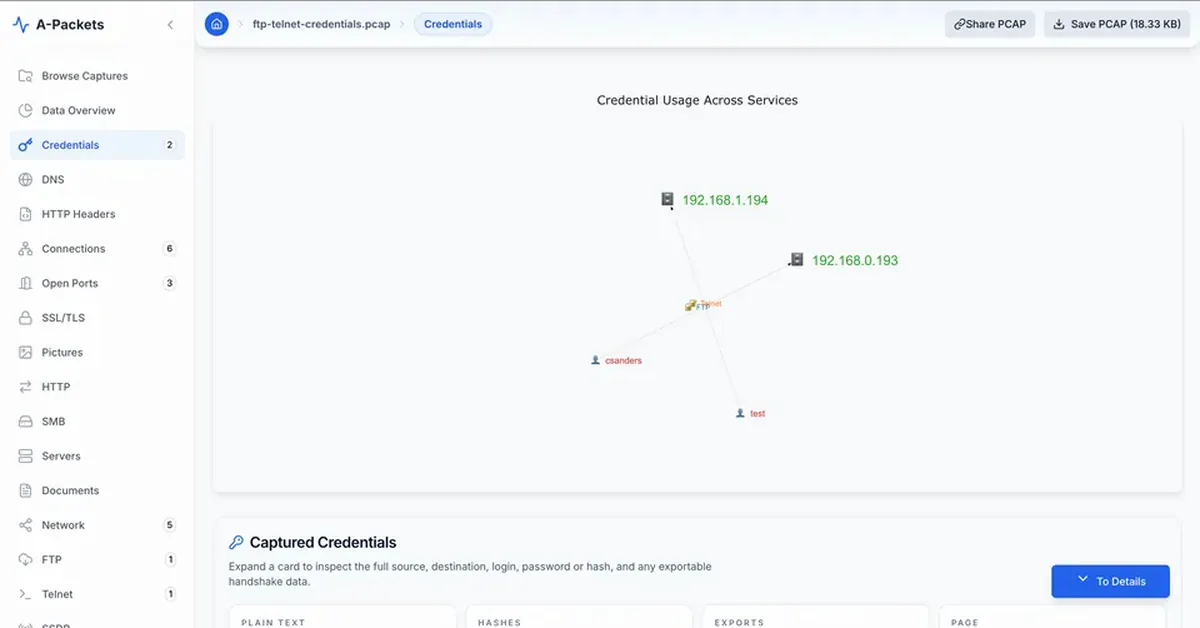
Two logins, two protocols, no encryption. In this FTP and Telnet password PCAP the account csanders
signs in to an FTP server at 192.168.0.193 and the account test opens a Telnet session to an
embedded Linux device at 192.168.1.194; both passwords cross the wire as plain payload. FTP and
Telnet date from the 1970s and 80s and authenticate before any encryption, so anyone who can capture the segment
reads the account without any attack at all. A-Packets recovers both logins straight from the capture; the
passwords are masked on this page and shown in full in the interactive report, as for any public upload.
This is a reference for a cleartext-credential audit of your own network. The two sessions are short and ordinary, assembled from two protocol samples whose original publisher is unknown, but the shape of the evidence is identical to what you would find in production traffic: a protocol that authenticates before any encryption hands over the account the first time it is captured.
The credentials A-Packets recovered
A-Packets scans for authentication exchanges in protocols that send them in the clear and lists each one it finds: the protocol, the client and server, and the account name. Two appear here, an FTP sign-in and a Telnet login, each from a different host pair. The view is the fast answer to the audit question, which accounts are exposed, before you read a single packet.
| Protocol | Client | Server | Login | Password |
|---|---|---|---|---|
| FTP | 192.168.0.114 | 192.168.0.193:21 | csanders | •••• (4 chars) |
| Telnet | 192.168.1.140 | 192.168.1.194:23 | test | ••••••• (7 chars) |
Both passwords were read directly from the capture; the length is shown so you can confirm the recovery without the value. Neither protocol was broken or guessed. FTP and Telnet simply send the password as ordinary payload, so recovering it is a matter of reassembling the stream, which is the same thing a passive adversary on the path would do. That is why a found credential here is not a strong password or a weak one; the strength is irrelevant once it travels in clear text.
The FTP session, command by command
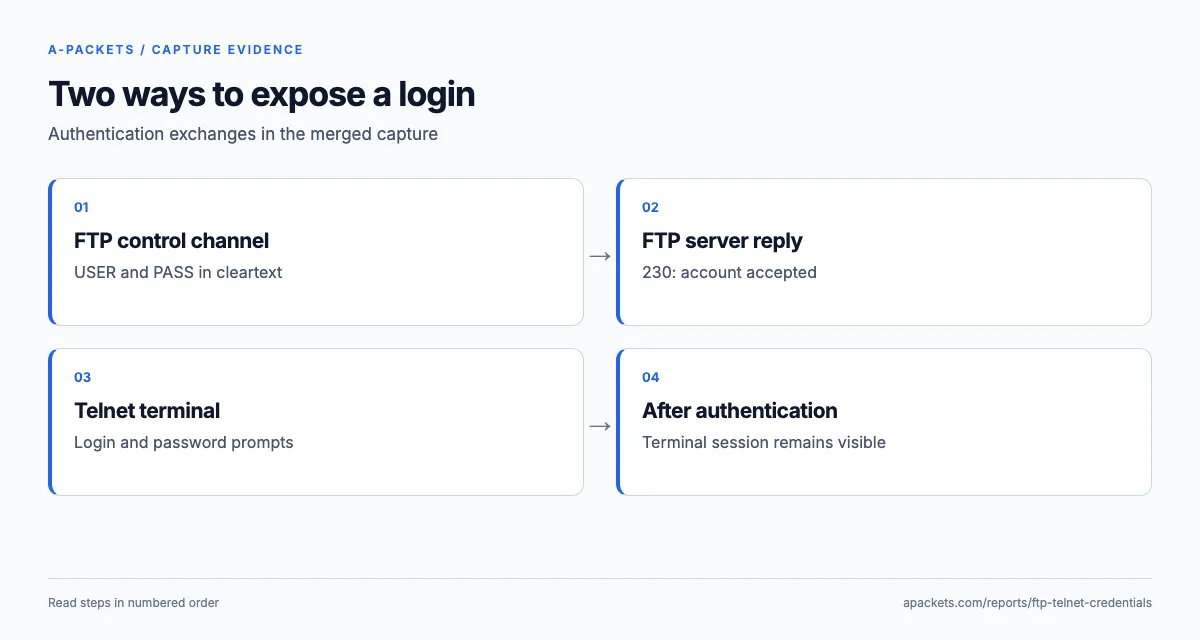
FTP keeps a control connection on port 21 where every command and reply is a line of text. A-Packets rebuilds it in
full, so the sign-in reads like a transcript: the server banner, a USER command with the account, a
PASS command with the password, and the 230 reply that means the login succeeded.
192.168.0.114:1137 to 192.168.0.193:21
220 Chris Sanders FTP Server
USER csanders
331 Password required for csanders.
PASS ••••
230 User csanders logged in.
SYST
215 UNIX Type: L8
FEAT
211-Extensions supported:
CLNT
MDTM
PASV
REST STREAM
SIZE
211 End.
CLNT FlashFXP 3.4.0.1145
200 "FlashFXP 3.4.0.1145" noted.
CWD /
250 CWD command successful. "/" is current directory.
PWD
257 "/" is current directory.
TYPE I
200 Type set to I.
SIZE Music.mp3
213 4980924
PASV
227 Entering Passive Mode (192,168,0,193,28,86)
RETR Music.mp3
150 Data connection accepted from 192.168.0.114:1140; transfer starting for Music.mp3 (4980924 bytes).
After the login the client identifies itself with CLNT FlashFXP 3.4.0.1145, a graphical FTP client,
switches to binary mode with TYPE I, opens a passive data channel and asks for a file. All of that is
visible because FTP negotiates nothing in secret. The SIZE reply reports 4,980,924 bytes for
Music.mp3, and the 227 reply ending in 28 and 86 selects passive port 7254 (28 × 256 + 86), but the
transcript stops at the 150 preliminary reply with no 226, and the whole capture is 18,771 bytes: the file itself
never crossed this capture point. The credential, though, is on the control channel in full, and that is the
exposure.
The fix for FTP is not to watch for these logins more closely but to stop sending them in clear text. FTPS adds TLS
to the same protocol: RFC 4217 defines the
AUTH TLS upgrade for the control channel and, separately, PBSZ 0 and PROT P to
protect the data channel, so require both and refuse a fallback to clear data. SFTP runs file transfer over SSH
entirely. Either way the credential stops appearing in captures, and an audit like this one tells you which of your
hosts still answer on port 21 with a cleartext login, which is the list to migrate.
The Telnet session, including what came after the login
Telnet is worse than FTP in one respect: it does not just send the password in clear text, it sends the entire session that way, every keystroke and every byte the server echoes back. The protocol mixes option negotiation into the stream, and a password often travels one character per segment while the server turns echo off, so a screen recording would never show it; A-Packets reassembles both directions, so the session reads as the two sides saw it. The password line is masked on this page; the rest is the session as captured.
192.168.1.140 to 192.168.1.194:23
login: test
Password: •••••••
$ uname -a
Linux cm4116 2.6.30.2-uc0 #3 Tue Feb 22 00:57:18 EST 2011 armv4tl unknown
$
$ exit
logout
The command that follows the login is the reason this matters beyond the credential. uname -a returns
Linux cm4116 2.6.30.2-uc0 … armv4tl: an embedded device on a 2.6.30 kernel built for an ARMv4
processor, the kind of console server, router or industrial controller that still ships Telnet enabled by default.
A capture of such a session hands an attacker the credential and a precise fingerprint of the device in one place.
These are exactly the systems where Telnet lingers longest, because they are rarely updated and their management
interfaces are treated as internal and safe, an assumption a single capture on the segment disproves.
The replacement for Telnet is SSH, which encrypts the whole session and authenticates the server as well. Where a device offers only Telnet, the mitigation is to isolate its management interface on a network no untrusted host can capture, and to plan its replacement. As with FTP, the value of the audit is the inventory: which hosts still accept a Telnet login, and from where.
Beyond the password: what else these protocols expose
The recovered login is the headline, but reading the full sessions shows how much more a cleartext protocol gives
away. The FTP control channel reveals the client software (FlashFXP here), the directory structure the
user moved through, and the names of the files transferred, so even where the data channel itself is not captured, an
observer learns what was accessed and with what tool. A real audit treats all of that as exposed, not just the
password: file names and paths can be sensitive on their own, and the client version is a fingerprint an attacker can
target. The Telnet session goes further still, carrying every command typed and every response, which is why the
uname -a output that fingerprints the device sits in the capture right next to the login.
There is also the question of what the credential unlocks. A cleartext FTP or Telnet login to an embedded device like the one here often shares a password with other management interfaces, or is a default that was never changed, so a single captured credential can open more than the one service. That is the compounding risk of legacy cleartext protocols: they expose a credential that is frequently reused, on devices that are rarely updated, over a channel anyone on the segment can read. The audit value is therefore not just "rotate this password" but "find every service still authenticating this way, because each one is a free credential for anyone watching".
Testing that the replacement actually protects authentication
The same capture technique proves the fix. After the migration, record the management segment again at the same point and over a comparable window, log in once from each client, fail one login on purpose and run a transfer or a command, then put the capture through the Credentials view. An empty list next to visible TLS or SSH handshakes for those logins is the evidence that authentication is protected. Port numbers alone prove nothing: explicit FTPS still uses TCP 21, and a legacy service can be moved to a nonstandard port without changing what it sends.
Choose the replacement with the network in mind. FTPS keeps the FTP command set and wraps it in TLS, either
negotiated with AUTH TLS on port 21 or implicit on port 990, but it still opens separate data
connections that firewalls must track. SFTP is a different protocol that runs over a single SSH connection on port
22, which usually makes it the simpler choice for automated transfers.
Some devices cannot be upgraded: an old console server or a controller whose firmware has no SSH. For those the practical controls are compensating ones. Put the management interface on an out-of-band network that user workstations cannot reach, allow port 23 only from a hardened jump host that administrators reach over SSH, and log every session on that host. The credential still crosses one short, controlled segment in clear text, so it must be unique to the device and rotated, but it no longer crosses the networks where a passive capture is easy.
Running the same audit on your traffic
Treat a capture like this as a template. Over a few hours of real traffic, the Credentials view lists the authentication exchanges it recovers, not only FTP and Telnet but HTTP Basic, SMTP, IMAP, SNMP, LDAP and more. Each entry is an account to rotate and a service to move behind TLS. The cleartext password audit walkthrough shows the process end to end, and the SMTP and IMAP report covers the mail protocols, where some mechanisms look protected but are only Base64-encoded.
A login made inside TLS never appears in this view at all, which is the point of moving to encryption. In MITRE ATT&CK terms, reading credentials off the wire this way is T1040, Network Sniffing, and the remediation closes T1040 for these accounts by denying a sniffer anything to read. To audit a capture from your own network, upload a PCAP; for a full walkthrough of what A-Packets recovers and from which protocols, see extracting credentials from PCAP files.