Before you upload
Sanitize a PCAP file before you share it
Updated · Every command run or checked against its tool's documentation
Free uploads create public reports. Use only sanitized captures; choose private analysis for sensitive traffic.
A capture records everything that crossed the wire, not only the problem you captured it for: addresses, device names, logins, cookies, file contents and, in pcapng files, notes about the machine that wrote it. Before you sanitize a PCAP for a vendor ticket, a forum thread or a free A-Packets report, which is public by design, decide what the reader needs and remove the rest. The steps below run from the cheapest to the most thorough, and each says what it leaves behind.
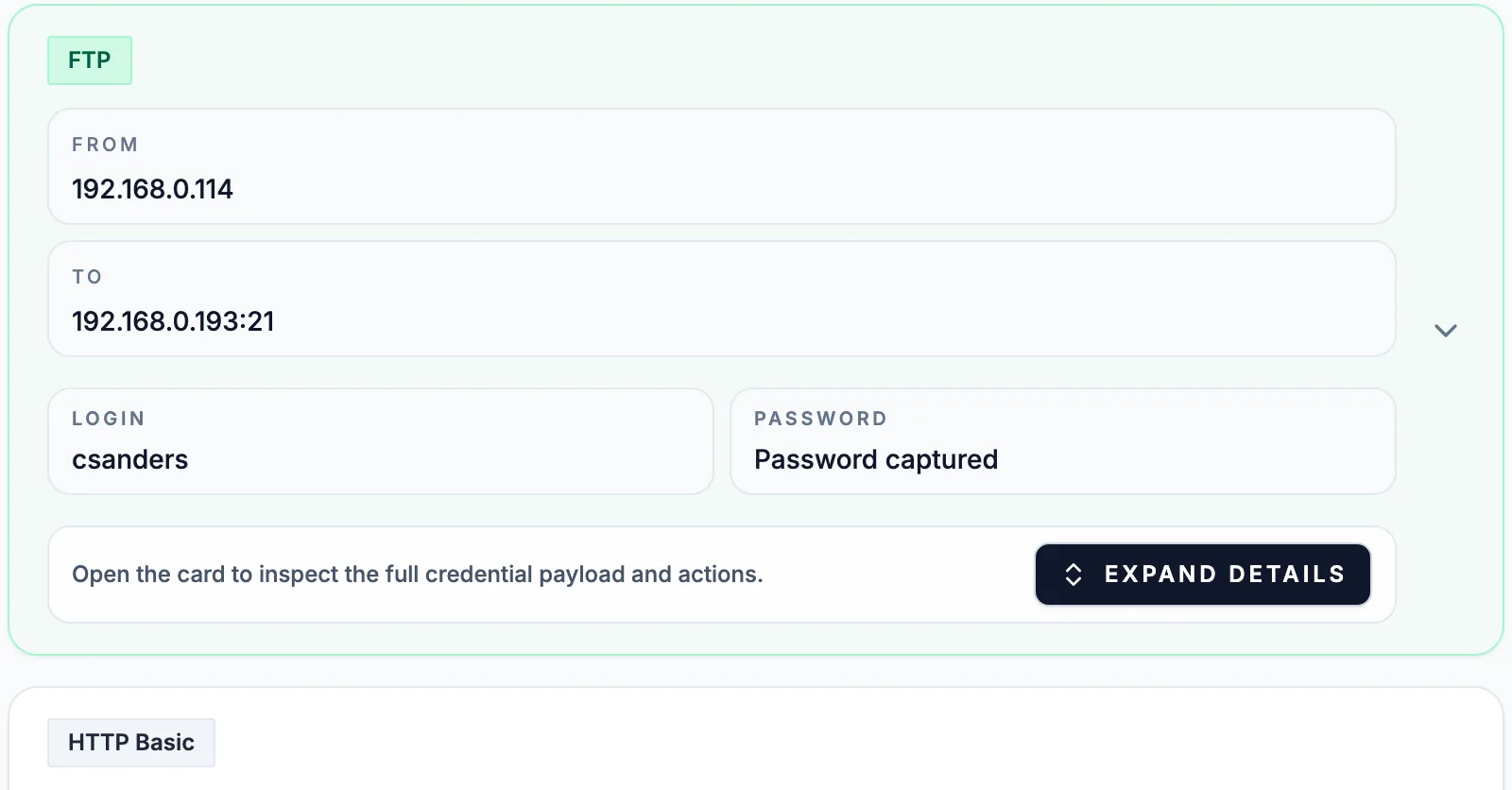
What a capture gives away
- Addresses. Internal ranges map your network; public ones point at you, your provider or your customer. MAC addresses name the vendor of each device.
- Names. DHCP requests carry the client's host name, NBNS, LLMNR and mDNS announce device names, SMB host announcements carry OS versions, and Kerberos and NTLM carry user names.
- Secrets and content. Cleartext logins, session cookies, URLs with tokens, and whole files sent over HTTP.
- The file itself. A pcapng section header records the capturing application and usually the operating system, interfaces have names, and comments can hold anything. A pcapng can also carry TLS keys that let anyone decrypt the sessions in it.
Read the file's own notes first
capinfos http_dvwa_sqlinjection.pcapng
On a public DVWA lab capture, capinfos reports the operating system as "Mac OS X 10.12.4, build
16E195", the application as "Dumpcap (Wireshark) 2.2.0" and the interface as en0. None of that is in a
packet. mergecap adds its own notes when it joins files: the operating system and build of the machine
that ran it, and a comment that lists the input files, with full paths when you pass full paths. The packets have
their own tells as well. The same DVWA capture names the browser and the macOS release in the User-Agent of all
three HTTP requests, and no file-level cleanup touches that.
Strip comments, keys and the section header
editcap -F pcap capture.pcapng capture.pcap
editcap --discard-capture-comment --discard-packet-comments --discard-all-secrets capture.pcapng clean.pcapng
Converting to classic pcap is the thorough option: the format has no section header, no comments and no key
blocks, so all of it goes, and A-Packets reads pcap as well as pcapng. Keep pcapng only when you need what it
adds, and then use the three --discard options, which remove comments and embedded keys but keep the
operating system, the application and the interface names in the header. Check the result with
capinfos again; after -F pcap it reports none of those lines. Cut the capture down before
this step, as the guide on how to split a large PCAP shows: every
conversation you drop is one less to clean.
Drop the packets that name people and machines
tshark -r capture.pcap -Y "not (dhcp or nbns or llmnr or mdns)" -w quiet.pcap
Name-resolution and address-assignment chatter is rarely the subject of an investigation and nearly always leaks a
host or user name, so drop it when the question does not need it. The filter uses Wireshark's protocol names, so
you can extend it with browser for SMB host announcements or kerberos when user names
must not travel. Logins in cleartext protocols are a different case: remove the login packets only if the
recipient does not need them, because once they are gone nobody can confirm the exposure you are reporting.
Rewrite addresses consistently
tcprewrite --pnat=192.168.0.0/16:10.0.0.0/16 --fixcsum --infile=quiet.pcap --outfile=renamed.pcap
tcprewrite --seed=4242 --fixcsum --infile=quiet.pcap --outfile=random.pcap
tcprewrite, part of the tcpreplay suite, rewrites the IP addresses in packet headers and keeps every
session intact. --pnat moves one network onto another and keeps the host part, so 192.168.1.20
becomes 10.0.1.20. --seed scrambles every address with a repeatable mapping, and it can turn a private
address into a public one: on the PhantomStealer sample, 10.1.30.101 became 71.115.254.227, so a report would show
the country and owner of a real network that was never involved. --fixcsum recomputes the IP, TCP and
UDP checksums after the rewrite. Addresses inside payloads stay as they were: the first DNS answer in the
rewritten file still names 185.27.134.154, and HTTP Host headers keep their names too. On Windows,
TraceWrangler, a free open-source toolkit, sanitizes PCAP and pcapng files through a graphical interface.
Check the result, or keep it private
tshark -r renamed.pcap -q -z endpoints,ip
tshark -r renamed.pcap -Y "dhcp or nbns or mdns or http.authorization or ftp.request.command"
The endpoint list should show only the addresses you meant to keep, and the second command should print nothing you would not show the recipient. Sanitizing is not the only way to analyze a sensitive capture. A private report is visible only to your workspace and needs no cleanup, and when traffic may not leave your network at all, the self-hosted PCAP analyzer runs the same analysis on your own servers. Sanitize when the file itself has to travel: to a vendor, a forum or a public report.
Sanitizing captures: what people ask
- Does sanitizing a capture break the analysis?
- Rewriting addresses keeps sessions, timing and payloads, so the report views still work, on the new addresses. Truncating packets or removing payloads takes away what A-Packets carves files and reads logins from.
- Is rewriting the IP addresses enough?
- Rarely. Host names travel in DHCP, NBNS, mDNS and SMB announcements, user names in Kerberos and NTLM, and server names in DNS and TLS. An address rewrite touches none of them.
- Can I analyze a sensitive capture without sanitizing it?
- Yes, in a private report, which only your workspace can open. When the capture may not leave your network at all, the self-hosted build analyzes it on your own servers.